Find the Objects Codes
All current and previous game codes for Find the Objects on Roblox.
Last checked for codes:Todayat Times shown in UTC
10 active0 expired| Code | Description | Status | Works |
|---|---|---|---|
| This code credits your account with 150 coins. | Active | ||
| This code credits your account with 150 Coins. | Active | ||
| This code credits your account with 150 Coins. | Active | ||
| This code credits your account with 150 Coins. | Active | ||
| This code credits your account with 150 Coins. | Active | ||
| This code credits your account with 1 Magnifying Glass. | Active | ||
| This code credits your account with 4 Magnifying Glasses. | Active | ||
| This code credits your account with 5 Magnifying Glasses. | Active | ||
| This code credits your account with 3 Magnifying Glasses. | Active | ||
| This code credits your account with 2 Magnifying Glasses. | Active |
How to claim codes in Find the Objects
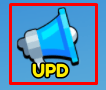
To use codes in Find the Objects, first click the "UPD" button near the top-right corner of your screen:
Next, click the "Enter a Code" box to type your code then click the "Claim" button:

About Find the Objects
Dive into an immersive search experience in Find the Objects, where your goal is to locate all the hidden items scattered across expansive and detailed maps. Test your observational skills as you explore various scenes, each filled with numerous hidden objects waiting to be discovered. As you successfully complete challenges, you'll unlock access to even more unique and intricate maps, providing endless hours of engaging gameplay.