How to Get a Trading License in Adopt Me!
Start trading ultra rare pets!

Tell us about your article reading experience.
- No
- Sort of
- Yes
HeHIn Adopt Me, trading is one way you can get rich and complete your collection of extremely rare legendary pets. However, you'll soon learn that you can't trade ultra-rare and legendary pets, like unicorns, without a Trade License.
Here's a step-by-step guide on how to get one!
Step 1. Go to the Safety Hub
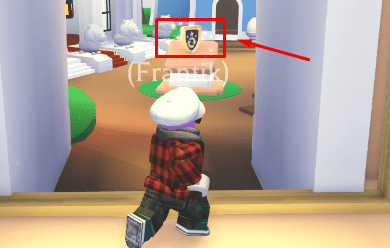
To get a Trade License, you first need to make your way to the Safety Hub, which is found near Adoption Island. Here's what it looks like:
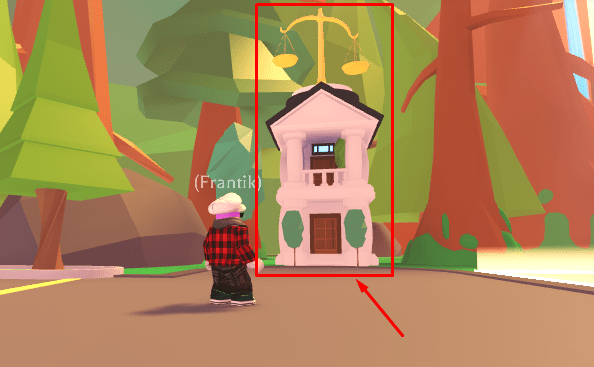
Fun fact, this is also where you can claim codes for the game!
Step 2. Enter the Test Room
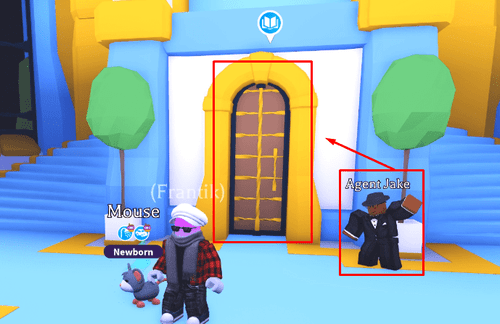
Once inside the Safety Hub, go downstairs to where Agent Jake is. Talk to him to learn more about the test, then enter through the door beside him to get to the test area.
Step 3. Take the Trade License Test
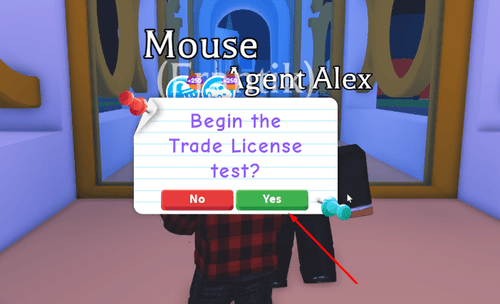
Once inside, you'll find Agent Alex up ahead. Speak with him and press "Yes" once you see the pop-up message asking "Begin the Trade License test?".
Answers to the Test
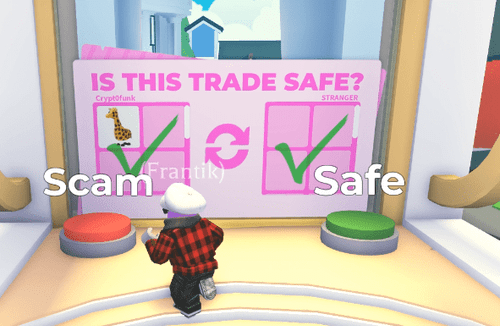
The questions in the test will vary, and it won't always be the same for every player. Basically, the game will show you various trading scenarios, and you have to determine if the trade is safe or a scam by stepping on their respective buttons.
It's a simple enough premise, but to give you concrete examples, here's what my test looked like, including the correct answer for each question:
Example Question #1
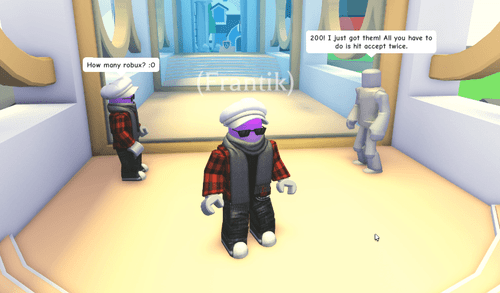
Player 2: OMG I just found this glitch! If you trade your unicorn and hit accept twice it glitches and you get robux.
Your Character: How many robux? :O
Player 2: 200! I just got them! All you have to do is hit accept twice.
Your Character: Okay!
Answer: Scam
This is an obvious scam, as the other player is trying to steal your legendary pet. Never believe players who try to convince you that clicking anything in the trade window will lead to free Robux.
Example Question #2
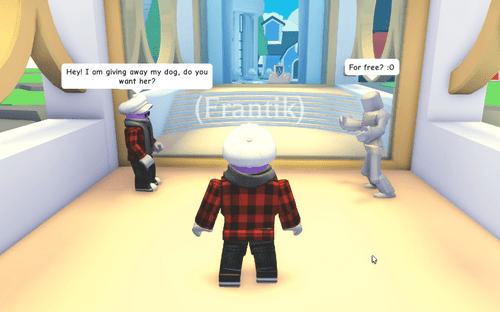
Your Character: Hey! I am giving away my dog, do you want her?
Player 2: For free? :O
Your Character: Yeah! I have an extra, you can have her for free.
Player 2: Okay
Answer: Safe
This is a safe trade, because you're consenting to giving the other player a free pet. Obviously, you aren't trying to gain anything from the other person, so you aren't scamming either.
Example Question #3
Player 2: If you give me your giraffe now I will give you a dragon on my alt later!
Your Character: OMG really?
Player 2: Yes! Give me your giraffe first, then later I will come back on my alt.
Your Character: Okay!
Answer: Scam
This is another obvious scam. There is no guarantee that the other person will ever give you a dragon later, or if they even have an alt to begin with.
Never trust strangers to give you something "later" and always ask for a proper trade when it comes to ultra-rares and legendaries.
Step 4. Claim Your Trade License
Once you're done with all three questions, you can step forward and claim your Trade License!
To equip it, simply open your backpack and equip the Trade License. This will put it in your quick bar at the bottom of the screen, and you can click on it to view your trade history!