How to Get a Classic Trade Stand in Adopt Me
Sell stuff from anywhere!

Tell us about your article reading experience.
- No
- Sort of
- Yes
The Classic Trade Stand is an extremely useful item to have in Adopt Me, as it allows you to set up a market stall anywhere in the game.
It's a paid item, but there are ways to get it without spending Robux, so let's go over all the possibilities!
How to Buy the Trade Stand Pass
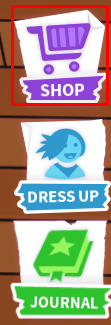
First, click the Shop button at the right side of the screen:
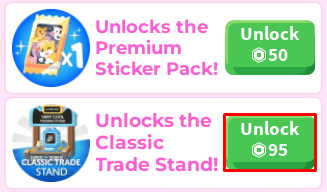
Next, scroll down the shop menu until you reach the Unlocks the Classic Trade Stand! option. You then need to purchase it for 95 Robux:
How to Get the Trade Stand for Free (No Robux)
In order to get a Trade Stand for free, or at least without spending Robux, your only option at the moment is to trade for it.
The actual Classic Trade Stand toy is tradeable, so you can ask other players if there are any who are kind enough to gift you one. Humorously, you might even find people putting up Classic Trade Stands to sell even more Classic Trade Stands.
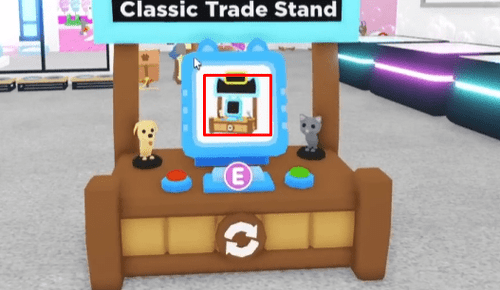
It isn't a prohibitively expensive item in terms of trade value either. If you know somebody who can get you Retired Eggs, you can try to grind them for a Unicorn to get a surefire trade.
How to Set up a Trade Stand (Step-By-Step)
Equipping the Classic Trade Stand
Once you've purchased the gamepass, you'll then be able to set up your trade stand. To do so, first click on the backpack icon at the bottom of your screen:
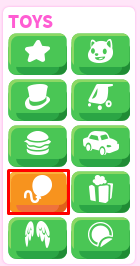
Next, select the balloon icon (also known as the toys icon):
Then, select the trade stand icon:
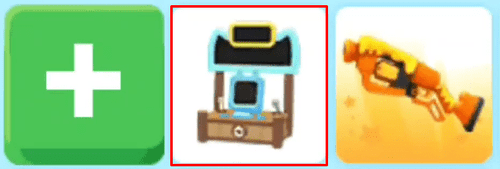
Finally, press Equip:
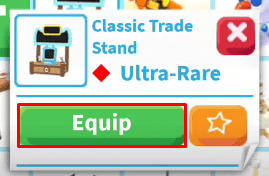
Setting Up the Stand
Next, you'll need to find a spot you want to place your trade stand. Adoption Island is usually the best place for it, and you can simply left click to plop it down.
To then choose the item you want to put up for trade, click on the Select Item button:
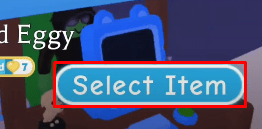
Next, select the item you want to trade. Now all you'll need to do is wait for another player to send you a trade request! You can receive requests from your stand no matter where you are in the map.
If you're looking to trade ultra-rare and legendary pets/items in Adopt Me, make sure to get your trading license first. This is mandatory for these big trades!